
P999 on iPhone and PC: A Straight Answer
Several pages about P999 publish step-by-step instructions for installing the APK on an iPhone. Those steps cannot work, and following them is how people end up installing something else entirely. This explains why, and what the real options are.
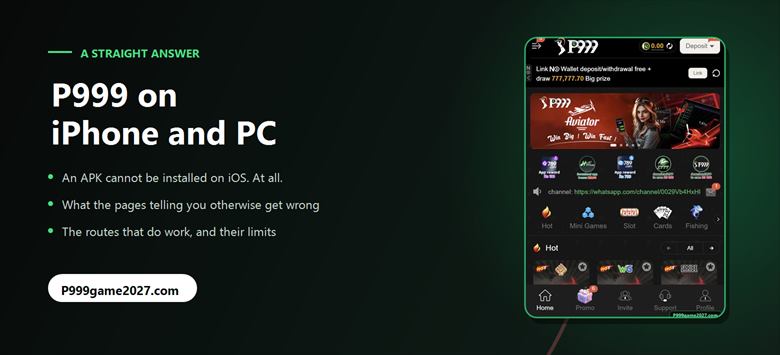
There is no P999 iPhone app that we could find, and an Android APK cannot be installed on iOS under any circumstances. Pages publishing "open Safari, download the APK, trust the profile" steps are describing something that does not work. On a PC, P999 runs only inside an Android emulator, with real trade-offs.
Why this page exists
While researching P999 we read a page giving five numbered steps for installing it on an iPhone: open the Safari browser, download the APK, trust the profile, start the installation, tap the icon.
Those steps cannot work. Not "may not work on some devices" — cannot work, on any iPhone, ever. The same page tells users its requirements are "Android 5.0+" in one place and describes a maximum of "Android 10.0+" in another, and a different site lists its requirements as "Android 5+ Or PC" while containing no PC content at all.
We are writing this because following those instructions does not produce a P999 app. It produces a user hunting for something that will install, which is exactly the situation that ends with malware or a fake app that asks for a wallet PIN.
Why an APK cannot run on an iPhone
An APK is Android's application package format. iOS does not read it, cannot open it, and has no mechanism to install one. These are different operating systems with different executable formats — closer to handing a Windows .exe to a Mac than to a version mismatch.
Downloading an APK in Safari gets you a file iOS has no idea what to do with. There is no "trust the profile" step that changes this: configuration profiles are for MDM settings and enterprise-signed iOS apps, and no profile makes an Android package executable.
That is also why the instruction is so dangerous as a search result. Someone who follows it, fails, and keeps searching is being funnelled towards "P999 iOS download" pages, and whatever those serve is not a P999 app, because no such thing exists to serve.
If a page offers you a P999 iPhone app, close it. We could find no evidence that one exists. Anything presented as one is something else, and you would be installing it on the phone that holds your banking apps.
What iPhone users can actually do
Three honest options, in order of how much we would recommend them:
- Use an Android phone. The only route we can confirm works, because the APK is the only build we have evidence of.
- Check whether the operator serves a mobile browser version. Some operators in this category run a web version that loads in Safari with no install. We did not find one for P999 and are not going to claim it exists. If the operator's link opens something playable in your browser, that is the answer; if it offers only an APK, there is nothing there for an iPhone.
- Wait. If an iOS app ever appears, it will be announced on the operator's own channels. Until then, treat "P999 for iPhone" results as pages writing about something they have not seen.
What we would not do is install a configuration profile, a "certificate", or a third-party app store in order to chase this. Those are the mechanisms real attacks use, and the thing at the end of them is not P999.
P999 on a PC
There is no Windows build. A page listing P999's requirements as "Android 5+ Or PC" says nothing else about PC anywhere in its text, which tells you how that line got there.
The only way to run an Android APK on a computer is an Android emulator — software that runs a virtual Android device on your desktop. That genuinely works for many apps. Before you do it, understand the trade-offs, because they are real:
- Emulators are heavy. They want several gigabytes of RAM and run a full virtual Android system.
- The emulator is a third party. You are installing desktop software from another vendor, which gets significant access to your computer. Only use well-known ones, from their official sites.
- SMS verification is awkward. Registration uses a code sent to a phone number, and the emulator has no SIM. You will be reading the code off your phone and typing it into the emulator.
- It may be against the operator's terms. Some platforms restrict emulator play, and with no published terms we cannot tell you whether P999 does. A balance voided for a terms breach has no appeal route here.
- It adds latency. A virtual Android device sits between your tap and the network, and that delay lands hardest on crash games, where the cash-out that counts is the one the server received. What we can and cannot say about P999 latency is set out in the games guide.
- Your banking wallet is on your phone anyway. Deposits run through JazzCash or Easypaisa, so you end up using the phone regardless.
On balance: if you have an Android phone, use it. The emulator route adds a third party, a verification problem and a terms risk to solve a problem you do not have.
How to spot a page that has not opened the app
This generalises well beyond P999, so it is worth keeping:
- iOS steps involving an APK. The single clearest signal. It means nobody tested anything.
- A version number and file size with no screenshot. Especially when two pages give different ones for the same app.
- Precise timings with no source. "Deposits in 2–3 minutes, withdrawals in 1–2 hours" with nothing behind it.
- Game categories instead of game names. "Poker games, live casino, table games" rather than JILI, PG, JDB and the actual titles on the tiles.
- A rating with no reviews attached. "4.9/5 from 2,291 votes" and not one review you can read.
- No date anywhere. Or only a relative one like "Updated Today" that is always today.
- Text from another brand. A different app's name left in a sentence is a sign the page was spun from a template.
Our own answer to all of this is on the about page: every figure we publish comes from a screen we photographed and captioned, and where the app says nothing we say so. The main review carries a full list of what we could not verify.
P999 iPhone and PC FAQs
Is there a P999 app for iPhone?
We found no evidence of one. P999 is distributed as an Android APK, and an APK cannot be installed on iOS. Pages publishing iOS installation steps for P999 are describing a process that cannot work.
Can I install an APK on an iPhone?
No. An APK is Android's application package format. iOS cannot read, open or install one, and no configuration profile or certificate changes that. Configuration profiles apply to MDM settings and enterprise-signed iOS apps, not Android packages.
How do I download P999 on iOS?
You cannot, as far as we can establish. The options are to use an Android phone, or to check whether the operator serves a browser-based version that needs no install. Do not install configuration profiles or third-party app stores in order to chase an iOS build we have found no evidence exists.
Can I play P999 on a PC or laptop?
There is no Windows build. The only route is an Android emulator running the APK, which works for many apps but adds a third-party program on your computer, an awkward SMS verification step, and a possible terms-of-use issue the operator does not publish terms about.
Why do some sites list P999 as working on PC?
One page lists its requirements as "Android 5+ Or PC" and then contains no PC content anywhere in its text. That line appears to be template text rather than a tested claim, which is also true of the iOS sections on several pages about this app.