
P999 Login and Registration: A Step-by-Step Guide
Registration and sign-in both happen inside the P999 app rather than on a web page. This guide covers creating an account, getting back in, and what to try when the verification step fails.
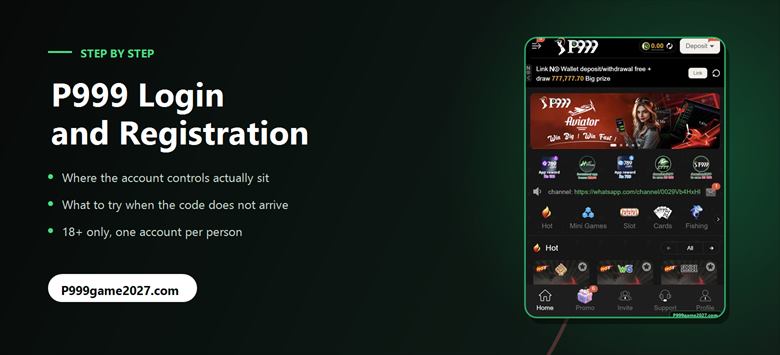
P999 registration and login both happen inside the app, not on a web page. Sign-up takes a phone number and a password with a verification step. There is no email option we could find. If the code never arrives, the cause is almost always the network or a silenced message filter rather than the app.
Where the account controls are
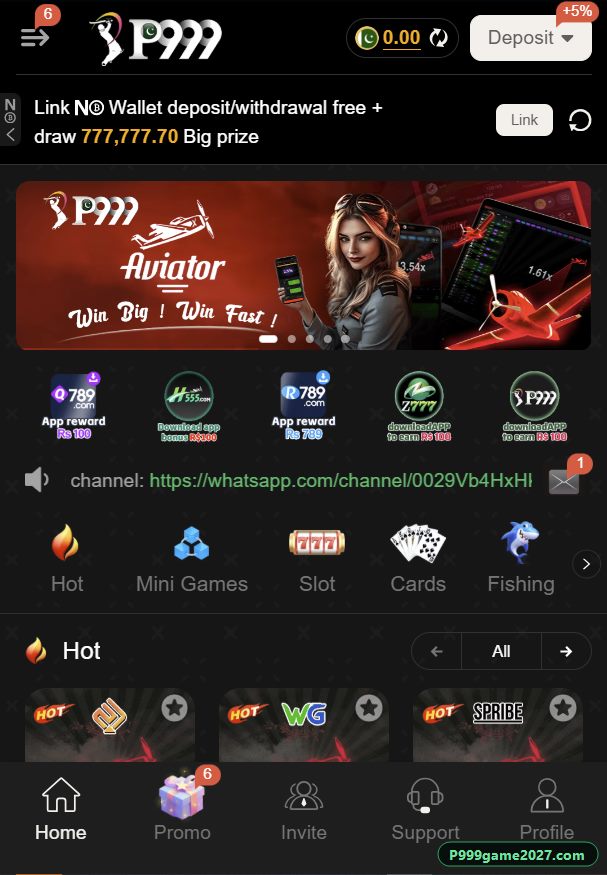
This is the first thing that catches people out. P999 opens straight into a working lobby — games, promotional banner, scrolling notices — whether or not you are signed in. There is no login wall.
The account controls live in two places: the menu at the top left of the home screen, and Profile at the right-hand end of the bottom bar. The bottom bar carries Home, Promo, Invite, Support and Profile.
If you are following a guide elsewhere that tells you to "open the P999 login page" in a browser, it is describing a flow this app does not have.
How to register a P999 account
- Install the app first. Registration happens inside it, not on a web page. The download and install steps are on our home page.
- Open Profile or the top-left menu and choose the register or sign-up option.
- Enter your phone number. Use the number in the phone you are holding, because the verification message goes to it.
- Set a password. Make it one you use nowhere else. This matters more than it sounds and is covered below.
- Complete the verification step and the age confirmation. Real-money play is 18+.
- Look for the security settings before you do anything else. Configuring account protection takes a minute now and is worth a great deal later.
One account per person. Real-money platforms routinely void balances and close accounts found to be duplicates of each other. If you already have an account, recover it rather than opening a second one. With no licensed regulator behind P999, there is no appeal route if a balance is voided.
How to log back in
- Open P999 and go to Profile, or the top-left menu.
- Enter the phone number you registered with, and your password.
- Complete verification if prompted. A new device, or a long gap since the last sign-in, usually triggers it.
- Check your balance against your own record before you play.
When the verification code does not arrive
This is the most common P999 login problem, and it is almost never the app. Work through these in order — they are ordered by how often each turns out to be the cause.
- Wait two full minutes. SMS gateway delays into Pakistani networks are routine at peak times. Tapping resend immediately often restarts the clock rather than shortening it.
- Check the spam or blocked folder in your messaging app. Short-code senders are filtered aggressively by default on many Android handsets.
- Confirm the number you typed, including the country-code format the field expects. One wrong digit sends a valid code to a stranger.
- Check your signal and SMS balance. A phone with no service, or roaming, will not receive it.
- Switch between mobile data and Wi-Fi. Some networks block the operator's domain, which stops the app requesting a code at all. This fixes it more often than any other step.
- Restart the phone and try once more.
- Contact in-app support last. The Message Center offers chat, WhatsApp, Telegram and Facebook, with online time stated as 00:00–23:59. Have your registered number ready. Never send anyone your password.
Forgotten password, and the risk that actually matters
Password recovery runs through the registered phone number, the same route as the sign-up code. If the code will not arrive, the steps above are the fix.
The more important point is the password you chose in the first place. P999 publishes no licence, no company name and no security disclosures. We do not know how it stores passwords. That uncertainty is manageable if the password protects only this one account, and unmanageable if it is also the password on your email, your JazzCash account or your Easypaisa account.
- Use a password that exists nowhere else in your life.
- Never share it with anyone claiming to be support. Legitimate support never needs it.
- Be sceptical of any WhatsApp or Telegram account offering to "recover" or "unlock" your balance. That is a standard theft pattern on apps like this.
- If you have reused a password and only now realised, change it on the other services first. Those are the ones with something worth stealing.
Other reasons a login fails
| What you see | Most likely cause | What to try |
|---|---|---|
| App will not load past the splash screen | Network blocking the operator's domain | Switch between mobile data and Wi-Fi |
| "Account does not exist" | A different number from the one registered | Try other numbers you own before assuming data loss |
| Password rejected, no code arriving | SMS filtering or a network block | Work through the code steps |
| Logged out repeatedly | Session expiry, or a sign-in from another device | Change the password, then check the security settings |
| Login works, balance looks wrong | Needs evidence, not a theory | Open your transaction and bet history before contacting support |
What to do straight after your first login
- Do not deposit yet. Look around first. The games guide covers what is actually in the lobby.
- Read what we could and could not verify about payments before sending money — see the deposit guide.
- Understand the bonus conditions, or rather notice which ones are missing. The bonus guide lists every figure the app shows and every term it does not.
- If you plan to invite people, read the agent commission maths first. The headline rate and the real rate are not the same number.
- Decide your limit now, while nothing is at stake. Our responsible gaming page is short and worth two minutes.
P999 login FAQs
Where is the P999 login page?
There is no separate web login page. P999 opens into a working lobby whether or not you are signed in, and the account controls sit behind the menu at the top left of the home screen and under Profile at the right of the bottom bar.
Can I log in to P999 with an email address?
We found no email option. Registration and sign-in use a phone number and password with an SMS verification step.
Why is my P999 verification code not arriving?
In order of likelihood: an SMS gateway delay, the message being filtered into a spam or blocked folder, a mistyped number, no signal or SMS balance, or a mobile network blocking the operator's domain so the app cannot request a code at all. Switching between mobile data and Wi-Fi resolves the last of these and is worth trying early.
How do I reset a forgotten P999 password?
Recovery runs through the registered phone number, using the same SMS route as the sign-up code. If the code does not arrive, the same troubleshooting applies. Never give your password to anyone contacting you through WhatsApp or Telegram claiming to be support.
Can I have two P999 accounts?
Treat it as prohibited. Real-money platforms commonly void balances and close accounts identified as duplicates, and P999 publishes no terms saying otherwise. If you have lost access to an existing account, recover it rather than registering again.
Is P999 support really available 24 hours?
The Message Center is headed "24/7 Customer Service" and the WhatsApp entry states an online time of 00:00 to 23:59. We have not tested response times at night, so we report what the screen says rather than confirming it.